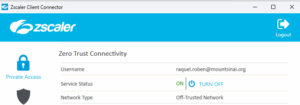
How to Turn Off Zscaler Private Access (ZPA)
Overview
If you are running into remote access issues, and believe they are related to Zscaler Private Access, here is the straightforward way to turn it off and go back to using the F5 Big-IP Client
Step‑by‑Step Setup Instructions
Step 1: Launch the Zscaler Client Connector application.

Right Click the Blue Square icon on your system tray and select “Open Zscaler.”
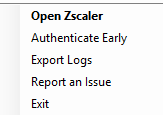
Step 2: Select Private Access
Be sure you are on the screen focused on the Zscaler Private Access module by clicking on the Blue Private Access tab.
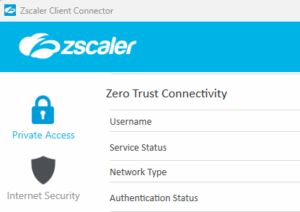
Step 3: Turn Off Private Access – That is It!
Find the “Service Status” line and hit the Blue “Turn Off” button. You can now go back to using the F5 Big-IP client.